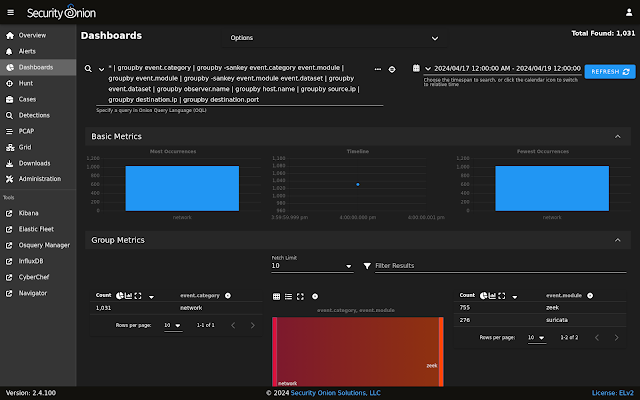
Last week’s 2.4.100 release contained an issue that affects deployments that use Kibana dashboards AND have deployed remote agents to endpoints. Today, we are releasing a hotfix which resolves this issue:
https://docs.securityonion.net/en/2.4/release-notes.html
If you have already updated to 2.4.100 and Kibana is not showing source IP addresses correctly, then you should update to this hotfix using soup:
https://docs.securityonion.net/en/2.4/soup.html
After updating to the hotfix, you may still have indices with incorrect data. If so, you can delete the incorrect indices via the command line as follows.
First, become root:
sudo -i
Next, roll over each of the affected data streams:
for i in logs-system.application-default logs-system.security-default logs-system.system-default; do
so-elasticsearch-query $i/_rollover -XPOST
done
Then, delete the previous index for each of the affected data streams:
for i in logs-system.application-default logs-system.security-default logs-system.system-default; do
INDEX_TO_DELETE=$(so-elasticsearch-query $i | jq -r ‘keys[]’ | tail -2 | head -1); so-elasticsearch-query $INDEX_TO_DELETE -XDELETE
done
Finally, navigate to Kibana -> Security Onion – Home -> Network dashboard to confirm that source IP addresses now display as expected.
New Installations
If this is your first time installing Security Onion 2.4, then we highly recommend starting with an IMPORT installation as shown at:
https://docs.securityonion.net/en/2.4/first-time-users.html

Once you’re comfortable with your IMPORT installation, then you can move on to more advanced installations as shown at:
https://docs.securityonion.net/en/2.4/architecture.html
Documentation
You can find our online documentation here:
https://docs.securityonion.net/en/2.4/
Documentation is always a work in progress. If you find documentation that needs to be updated, please let us know as described in the Feedback section below.
Questions, Problems, and Feedback
If you have any questions or problems relating to Security Onion 2.4, please use the 2.4 category at our Discussions site:
https://github.com/Security-Onion-Solutions/securityonion/discussions/categories/2-4
Security Onion Pro
We recently celebrated 10 years in business by announcing Security Onion Pro:
https://blog.securityonion.net/2024/07/celebrating-10-years-of-security-onion.html
Security Onion Pro includes many enterprise features that folks have been asking for:
- Open ID Connect (OIDC)
- Data at Rest Encryption
- FIPS for the OS
- DoD STIG for the OS
- External Notifications in SOC (this feature got even better in this release!)
- Time Tracking inside of Cases
- Guaranteed Message Delivery
You can read more about these enterprise features at:
Training
Need training? Start with our free Security Onion Essentials training and then take a look at some of our other official Security Onion training!
https://securityonion.net/training

Security Onion Solutions Hardware Appliances
We know Security Onion’s hardware needs, and our appliances are the perfect match for the platform. Leave the hardware research, testing, and support to us, so you can focus on what’s important for your organization. Not only will you have confidence that your Security Onion deployment is running on the best-suited hardware, you will also be supporting future development and maintenance of the Security Onion project!
https://securityonionsolutions.com/hardware