Security Onion 2.4.120 is now available including lots of new features and updates!

Improved Alerts Interface
Over the last few months, we’ve continued to iterate on our new AI Summary feature to make it available in the Alerts interface without having to pivot to Detections! Directly under the new AI Summary, you can now easily tune your rules right from the Alerts interface!

For more information about our Alerts interface, please see:
https://docs.securityonion.net/en/2.4/alerts.html
New Local IP Lookup Feature
This release includes a new local IP lookup feature! This allows you to define local descriptions for important IP addresses in your environment. This is useful for IP addresses that don’t have a reverse DNS entry or for when you want to override the reverse DNS entry with a custom value.
When you are viewing IP addresses in Security Onion Console (SOC) with reverse lookups enabled, SOC will check the local mappings first. If it doesn’t find a match, then it will attempt a reverse DNS lookup. The lookup will be displayed to the right of the IP address. For example:

For more information about local lookups, please see:
https://docs.securityonion.net/en/2.4/soc-customization.html#local-lookups
External API for Pro Customers
This release includes a new feature for Security Onion Pro customers! If you have a valid Pro license, you will be able to connect to the Security Onion API from external API clients. This means that you can create cases, pull PCAPs, or acknowledge alerts using automation!

For more information about the Connect API, please see:
https://docs.securityonion.net/en/2.4/connect.html
Zeek 7 and Expanded Protocol Support
This release includes Zeek 7 and also adds support for analyzing more network protocols like QUIC, HTTP2, OpenVPN, and IPSEC!

For more information about Zeek, please see:
https://docs.securityonion.net/en/2.4/zeek.html
ATT&CK Navigator Improvements
This release includes improvements for our ATT&CK Navigator integration! Navigator will now have 4 tabs across the top:
- Detections Coverage – All Detections
- Detections Coverage – Sigma
- Detections Coverage – Suricata
- Alerts (Last 3 Days)
Each tab will highlight coverage based on the title of the tab. Also, there are new pivots called View Related Detections and View Related Alerts that allow you to pivot from Navigator back to Detections and Alerts, respectively.

For more information about ATT&CK Navigator, please see:
https://docs.securityonion.net/en/2.4/attack-navigator.html
Elastic Agent MSI
This release includes a new MSI option for deploying the Elastic Agent to your Windows endpoints!

For more information about SOC Downloads, please see:
Improved SOC Cases Escalation
No more escalated ‘aggregation’ events! With this release escalating a group of events will now escalate the actual events, up to 100 by default (configurable). This is an asynchronous process, so when the events are finished being added to the case a message will be shown on the SOC UI to notify analysts that the bulk event creation is complete.
For more information about SOC Cases, please see:
https://docs.securityonion.net/en/2.4/cases.html
Support for Additional Elastic Integrations
In this release, we added support for the following Elastic integrations:
- Cisco Secure Email Gateway
- Rapid7 Threat Command
- OpenCTI
- Cloudflare_logpush
- trendmicro
- trend_micro_vision_one
https://docs.securityonion.net/en/2.4/third-party-integrations.html
- ATT&CK Navigator to 5.1.0
- CyberChef to 10.19.4
- ElastAlert 2 to 2.22.0
- InfluxDB to 2.7.10
- Kratos to 1.3.1
- NGINX to 1.26.2
- Vue.js front-end UI framework to v3
- Zeek to 7
https://docs.securityonion.net/en/2.4/release-notes.html#changes
Known Issues
For a list of known issues, please see:
https://docs.securityonion.net/en/2.4/release-notes.html#known-issues
About Security Onion
Security Onion is a free and open platform built by defenders for defenders. It includes network visibility, host visibility, intrusion detection honeypots, log management, and case management.
For network visibility, we offer signature based detection via Suricata, rich protocol metadata and file extraction using your choice of either Zeek or Suricata, full packet capture, and file analysis. For host visibility, we offer the Elastic Agent which provides data collection, live queries via osquery, and centralized management using Elastic Fleet. Intrusion detection honeypots based on OpenCanary can be added to your deployment for even more enterprise visibility. All of these logs flow into Elasticsearch and we’ve built our own user interfaces for alerts, dashboards, threat hunting, case management, and grid management.
Security Onion has been downloaded over 2 million times and is being used by security teams around the world to monitor and defend their enterprises. Our easy-to-use Setup wizard allows you to build a distributed grid for your enterprise in minutes!
Documentation
You can find our online documentation here:
https://docs.securityonion.net/en/2.4/
Documentation is always a work in progress. If you find documentation that needs to be updated, please let us know as described in the Feedback section below.
New Installations
If this is your first time installing Security Onion 2.4, then we highly recommend starting with an IMPORT installation as shown at:
https://docs.securityonion.net/en/2.4/first-time-users.html
Once you’re comfortable with your IMPORT installation, then you can move on to more advanced installations as shown at:
https://docs.securityonion.net/en/2.4/architecture.html
Existing 2.4 Installations
If you have an existing Security Onion 2.4 installation, you can update to the latest version using soup:
https://docs.securityonion.net/en/2.4/soup.html
Before updating your production deployment, we highly recommend testing the upgrade process on a test deployment that closely matches your production deployment if possible. This is especially important for releases that update components like Salt and Elastic.
2.3 EOL
As a reminder, Security Onion 2.3 reached End Of Life (EOL) on April 6, 2024:
https://blog.securityonion.net/2023/10/6-month-eol-notice-for-security-onion-23.html
Thanks
Lots of love went into this release!
Special thanks to all our folks working so hard to make this release happen!
- Josh Brower
- Jason Ertel
- Corey Ogburn
- Josh Patterson
- Mike Reeves
- Jorge Reyes
Questions, Problems, and Feedback
If you have any questions or problems relating to Security Onion 2.4, please use the 2.4 category at our Discussions site:
https://github.com/Security-Onion-Solutions/securityonion/discussions/categories/2-4
Security Onion Pro
We recently celebrated 10 years in business by announcing Security Onion Pro:
https://blog.securityonion.net/2024/07/celebrating-10-years-of-security-onion.html
Security Onion Pro includes many enterprise features that folks have been asking for:
- NEW! External API
- Open ID Connect (OIDC)
- Data at Rest Encryption
- FIPS for the OS
- DoD STIG for the OS
- External Notifications in SOC
- Time Tracking inside of Cases
- Guaranteed Message Delivery
You can read more about these enterprise features at:
Training
Need training? Start with our free Security Onion Essentials training and then take a look at some of our other official Security Onion training!
https://securityonion.net/training

Security Onion Solutions Hardware Appliances
We know Security Onion’s hardware needs, and our appliances are the perfect match for the platform. Leave the hardware research, testing, and support to us, so you can focus on what’s important for your organization. Not only will you have confidence that your Security Onion deployment is running on the best-suited hardware, you will also be supporting future development and maintenance of the Security Onion project!
https://securityonion.com/hardware

Cloud Installations
For new Security Onion 2 installations in the cloud, this new version will soon be available on the AWS, Azure, and GCP marketplaces!
AWS Marketplace and Documentation:
https://securityonion.net/aws/?ref=_ptnr_soc_blog_250212
https://docs.securityonion.net/en/2.4/cloud-amazon.html
Azure Marketplace and documentation:
https://securityonion.net/azure
https://docs.securityonion.net/en/2.4/cloud-azure.html
GCP Marketplace and documentation:
https://securityonion.net/google
https://docs.securityonion.net/en/2.4/cloud-google.html
Screenshot Tour
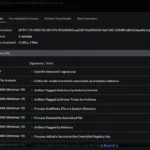
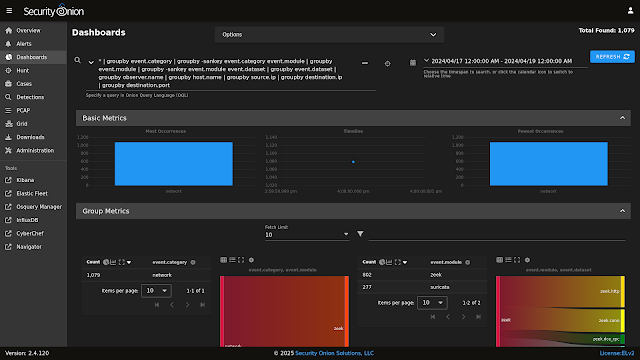
If you want the quickest and easiest way to try out Security Onion 2.4, just follow the screenshots below to install an Import node. This can be done in a minimal VM with only 4GB RAM! For more information, please see:
https://docs.securityonion.net/en/2.4/first-time-users.html