Thanks to Brad Duncan for sharing this pcap from 2024-08-26 on his malware traffic analysis site! Due to issues with Google flagging a warning for the site, we’re not including the actual hyperlink but it should be easy to find.
We did a quick analysis of this pcap on the NEW Security Onion 2.4.100:
https://blog.securityonion.net/2024/08/security-onion-24100-now-available.html
If you’d like to follow along, you can do the following:
- install Security Onion 2.4.100 in a VM:
https://docs.securityonion.net/en/2.4/first-time-users.html - import the pcap using the SOC Grid interface:
https://docs.securityonion.net/en/2.4/grid.html#icons-in-lower-left-corner - optionally enable the DNS lookups feature:
https://docs.securityonion.net/en/2.4/soc-customization.html?#reverse-dns-lookups
The screenshots at the bottom of this post show some of the interesting alerts, metadata logs, and session transcripts. Want more practice? Check out our other Quick Malware Analysis posts at:
https://blog.securityonion.net/search/label/quick%20malware%20analysis
About Security Onion
Security Onion is a versatile and scalable platform that can run on small virtual machines and can also scale up to the opposite end of the hardware spectrum to take advantage of extremely powerful server-class machines. Security Onion can also scale horizontally, growing from a standalone single-machine deployment to a full distributed deployment with tens or hundreds of machines as dictated by your enterprise visibility needs. To learn more about Security Onion, please see:
https://securityonion.net
Do you want to deploy Security Onion to your enterprise and want the best enterprise hardware? Here are the top 5 reasons to purchase appliances from Security Onion Solutions: https://blog.securityonion.net/2023/08/top-5-reasons-to-purchase-security.html
Screenshots
First, we start with the overview of all alerts and logs:

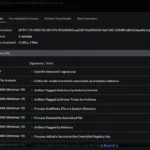
Next, let’s look at just the alerts:

Notice that all of the Remcos alerts are for the same TCP stream:

Let’s pivot to see that entire TCP stream:

Now let’s switch to ASCII transcript where we see the victim PC sending information to the attacker:

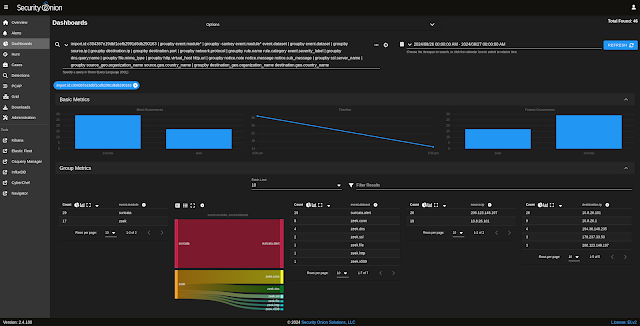
Next, let’s look at the Zeek protocol metadata:

We’ll start with the HTTP dashboard where we see a request that does a GeoPlugin lookup (related to the GeoPlugin information in a previous screenshot):

Next, we look at the Files dashboard where we see the GeoPlugin response via HTTP:

Next, let’s review the SSL/TLS dashboard:

We’ll next review the corresponding X509 dashboard:

Here is the DNS dashboard:

Finally, let’s review the Connections dashboard:

Here we can see all of the connections that we’ve seen above and one that we haven’t looked at previously (source port 50646):

If we pivot to PCAP on source port 50646, then we see the transfer of a packed EXE: